You open your browser tabs, check the Slack threads, glance at the email inbox, and somewhere there’s a handwritten sticky note on your monitor. Somehow, everything feels urgent, but the actual priority is buried. That’s the exact moment most professionals hit a wall — not because they don’t know what to do, but because their “workflow” is really just a pile of scattered reminders.
Taskly Planner won’t fix your inbox, and it won't force your team to stop pinging you. But it will give you one place to make sense of the noise. For the past three weeks, I’ve been using it to organize my own freelance projects and internal deadlines, and the biggest difference isn’t the features list — it’s that I no longer waste twenty minutes every morning trying to figure out what actually matters today.
Turn a scattered week into a single focused list
Taskly’s core approach is strikingly simple: you have tasks, goals, and to-do lists, but they all collapse into a daily planner view. Instead of jumping between a project manager, a habit tracker, and a notes app, you see your week laid out as one clear action plan. For example, I have a long-term goal to write twelve client reports per quarter. Taskly lets me break that into weekly action steps and then shows exactly which of those steps are due tomorrow — right next to my regular Monday admin tasks.
The week planning view is where the app earns its keep. On Sunday evening I spend ten minutes dragging tasks into the coming week. By Monday morning, I’m not wondering where to start. The plan is already there.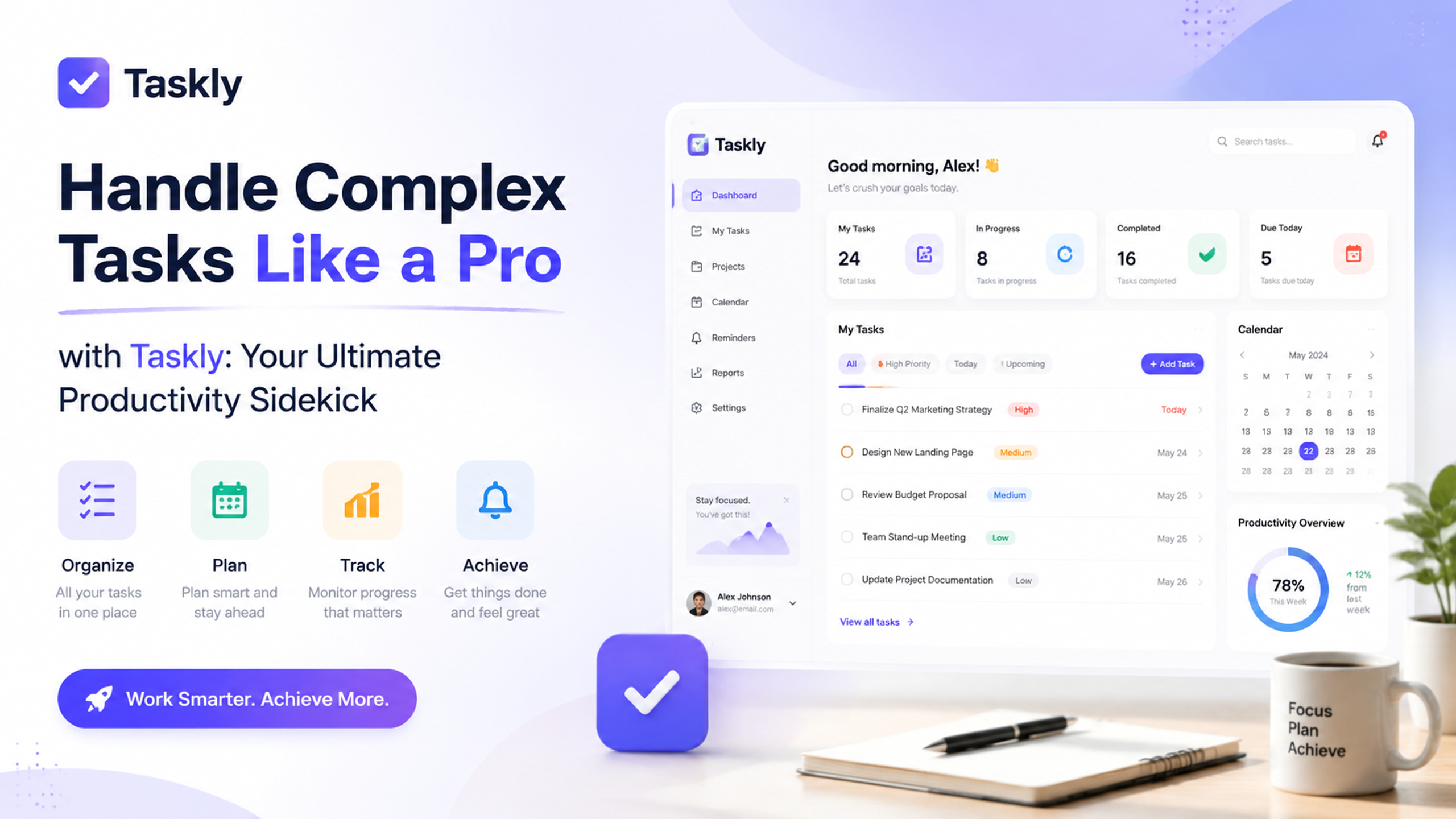
Three realistic scenarios where Taskly actually helps
1. The rescue from “reply-all” chaos. You’re a project coordinator with five ongoing campaigns. Each one has a spreadsheet, a group chat, and a shared doc. Taskly can’t replace those tools, but it can pull your personal action items into one timeline. I tested this with a real project: I added the key deliverables as tasks, set a weekly goal for “review campaign assets,” and suddenly my personal to-do wasn’t lost inside a Slack message that scrolled away hours ago.
2. The part-time freelancer juggling a day job. This was literally my use case. Taskly let me create two separate goal categories — “Freelance deliverables” and “Day-job tasks” — and still see them on the same weekly grid without confusion. The color coding is basic but effective. No more accidentally sending a weekend freelance task to Thursday’s work list.
3. The weekly review that doesn’t feel like homework. Every Friday I tap the “week recap” feature. It shows what I planned vs. what I actually finished. The numbers are honest, and that’s the point. I noticed I always leave three low-priority tasks untouched. Now I stop assigning them to the same week. That insight alone saved me from false productivity guilt.
Where Taskly might not fit (and that’s okay)
Let’s talk about tradeoffs honestly. Taskly is not a team collaboration tool. If your workflow requires real-time shared task assignment, dependencies, or a Gantt chart, you’ll still need something like Asana or Jira. Taskly is for your personal planning layer — the layer that conventional project managers ignore because they focus on the team board.
Also, the mobile app is functional but not beautiful. It works well for checking off tasks on the go, but planning the week is much smoother on desktop. If you live entirely on your phone for planning, the experience might feel slightly cramped.
And there’s no native calendar integration. You can manually add events as tasks with due times, but it doesn’t sync with Google Calendar or Outlook. That’s a deliberate choice — Taskly wants you to focus on tasks, not events — but if your day is calendar-driven, you’ll need to copy dates manually.
Should you give it a try?
If your problem is that you have too many scattered sources of “what to do” and no simple plan to act on them, Taskly is worth a week-long test. It takes about ten minutes to set up your first week, and you’ll know by Friday whether the clarity is worth the friction of migrating from sticky notes or your existing system. For my own workflow, it hasn’t replaced everything, but it has replaced the morning chaos. And that alone is a win I’ll take.
Comments
Leave a Comment