You know that feeling. You open your laptop, see fourteen tabs, a Slack notification that you already ignored twice, and a calendar that looks like a Tetris game gone wrong. You tell yourself today will be different. Then you end up reacting to other people's emergencies instead of doing the thing that actually matters.
I've been there. Too many times. So when someone told me about Taskly—specifically its AI sorting feature—I was skeptical. "Another smart planner" is usually a synonym for "another thing to set up and abandon." But I gave it a shot because my morning panic was getting old.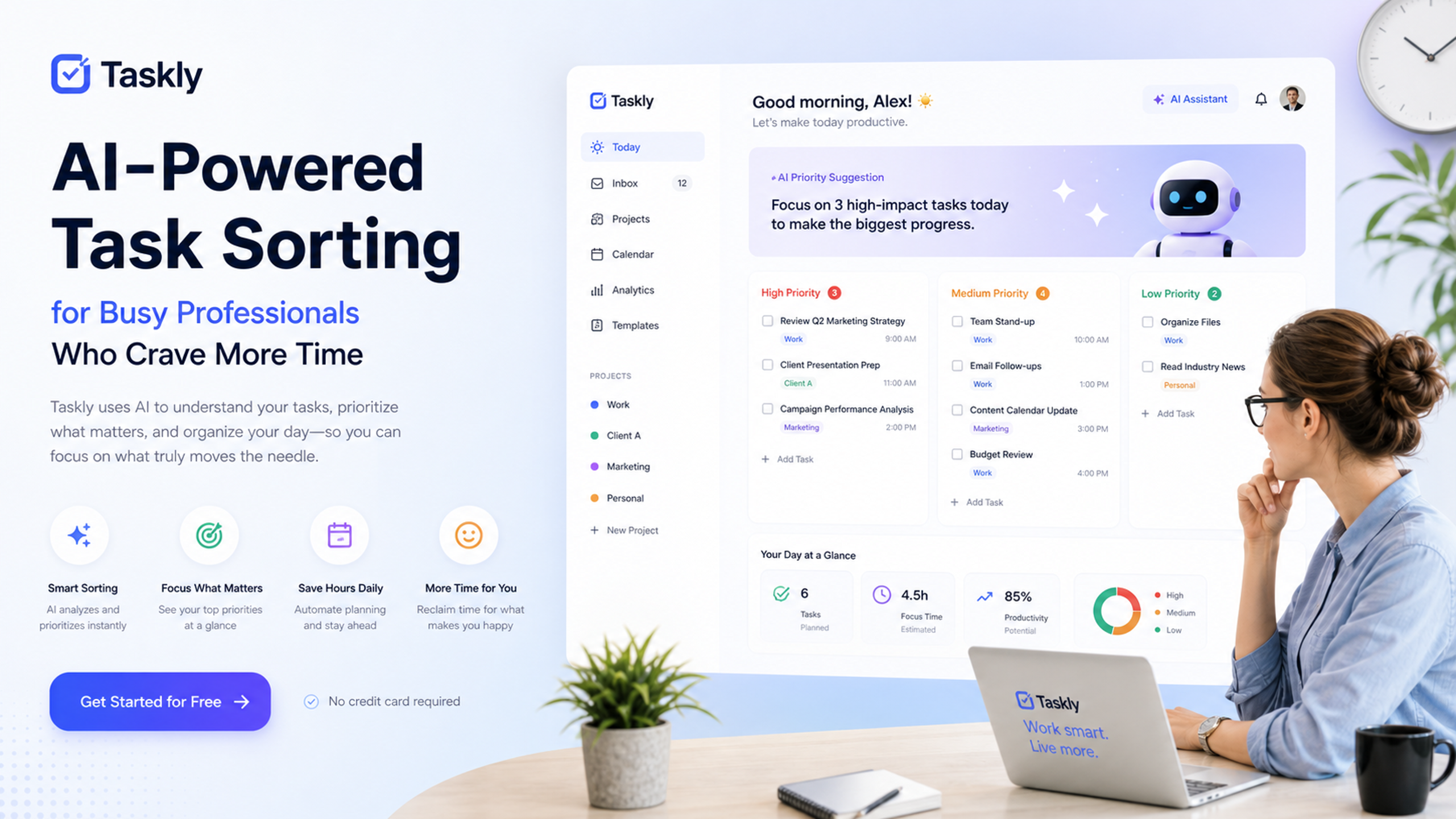
Not Another To-Do List
Taskly is a daily planner for tasks, goals and to-do lists. It sounds basic until you actually use it. The main difference is the AI sorting. You dump everything in there—work deliverables, personal reminders, that vague idea you had about "learning Python"—and it rearranges them based on deadlines, time you actually have, and context.
Let me give you an example. I used to write down "finish project report" and "buy groceries" on the same list. That's dumb. Grocery shopping and report writing require different energy levels. Taskly figured that out. It put "buy groceries" on the weekend and slotted the report into a Tuesday morning block when I'm usually less distracted.
It's not magic. It's a preference algorithm that learns from what you actually do versus what you check off. But it feels like magic when your Friday afternoon stops being a dumpster fire.
Does It Actually Sort You Right?
Here's where I'm honest. The AI sorting works well for structured people. If you have a job where work is measurable—deadlines, meetings, deliverables—Taskly is a good fit. It takes your raw inputs and turns them into a clear action plan without you having to think about priority levels.
But if your life is chaotic by design? Like if you're a freelancer jumping between five different clients, or a student with irregular class schedules and shifting assignment weights—you'll need to train it a bit. The first week felt off. It kept suggesting I work on a low-urgency client document when I knew that client was going to disappear on vacation soon. I had to manually adjust a few things.
The learning curve is about four days. After that, it got eerily accurate. It started blocking out time for small breaks, something I always forget to do. I didn't ask it to. It just noticed I have a tendency to work for three hours straight and crash.
Tradeoffs You Should Know
Taskly is not a replacement for a project management tool like Asana or Notion. It's a personal planning layer on top of your life. If you need collaboration features, file attachments, and team dashboards, look elsewhere. But if you just need to stop feeling like your tasks are controlling you, give it a try.
Another thing: it's not designed for people who love manual control. If you enjoy dragging and dropping tasks into custom categories, you'll probably find the AI decision-making frustrating at first. You can override it, but that kind of defeats the purpose.
I've been using it for about six weeks now. The biggest change isn't productivity—it's the time I get back in the morning. I used to spend 20 minutes just figuring out what to do first. Now I open Taskly, it tells me, and I start working. That twenty minutes a day adds up.
Is it perfect? No. Sometimes it recommends something weird, like "plan vacation" at 8 AM on a Monday when I'm clearly in work mode. But you can snooze those, and it learns. Over time, it learns what weekends are for and what Tuesday mornings mean.
So if you are a busy professional who craves more time, and you are tired of "tracking everything" with no actual guidance, Taskly is worth a shot. It's not a magic bullet, but it is a better way to turn scattered priorities into a clear action plan. I still have fourteen tabs open sometimes. But at least I know what I'm supposed to do first.
Comments
Leave a Comment