I’ve tried what feels like a hundred to-do apps, and they all share the same flaw: they make you feel productive for five minutes, then leave you staring at a list that’s longer than your attention span. Taskly Planner crossed my radar because it promised something different—not just task management, but making "professional work actually enjoyable." That’s a bold claim for a category known for guilt and anxiety.
Installed it on a Monday morning when my inbox was already a mess. First impression: clean, almost minimal. No flashy onboarding or tutorial video, just a blank weekly view. That minimalism turned out to be key—it forced me to think about my week, not just dump tasks into a black hole.
The weekly view changes how I plan
Most apps default to a daily list. That’s fine for today, but it hides the big picture. Taskly opens on a weekly planner. You drop tasks into days, and the app automatically surfaces conflicts. I noticed I had three deep-focus tasks scheduled back-to-back on Wednesday, which is ridiculous. Rescheduled two to Tuesday and Friday. That one adjustment saved my week.
The "Goals" section ties tasks to broader objectives. I have a goal like "Ship product update by end of Q2," and each week’s tasks feed into that. It’s not just a checkbox—it’s a visual progress bar. When you mark a task done, you see the goal inch forward. That subtle animation feels good, and I’m not ashamed to admit it. For a solo operator like me, that dopamine hit matters.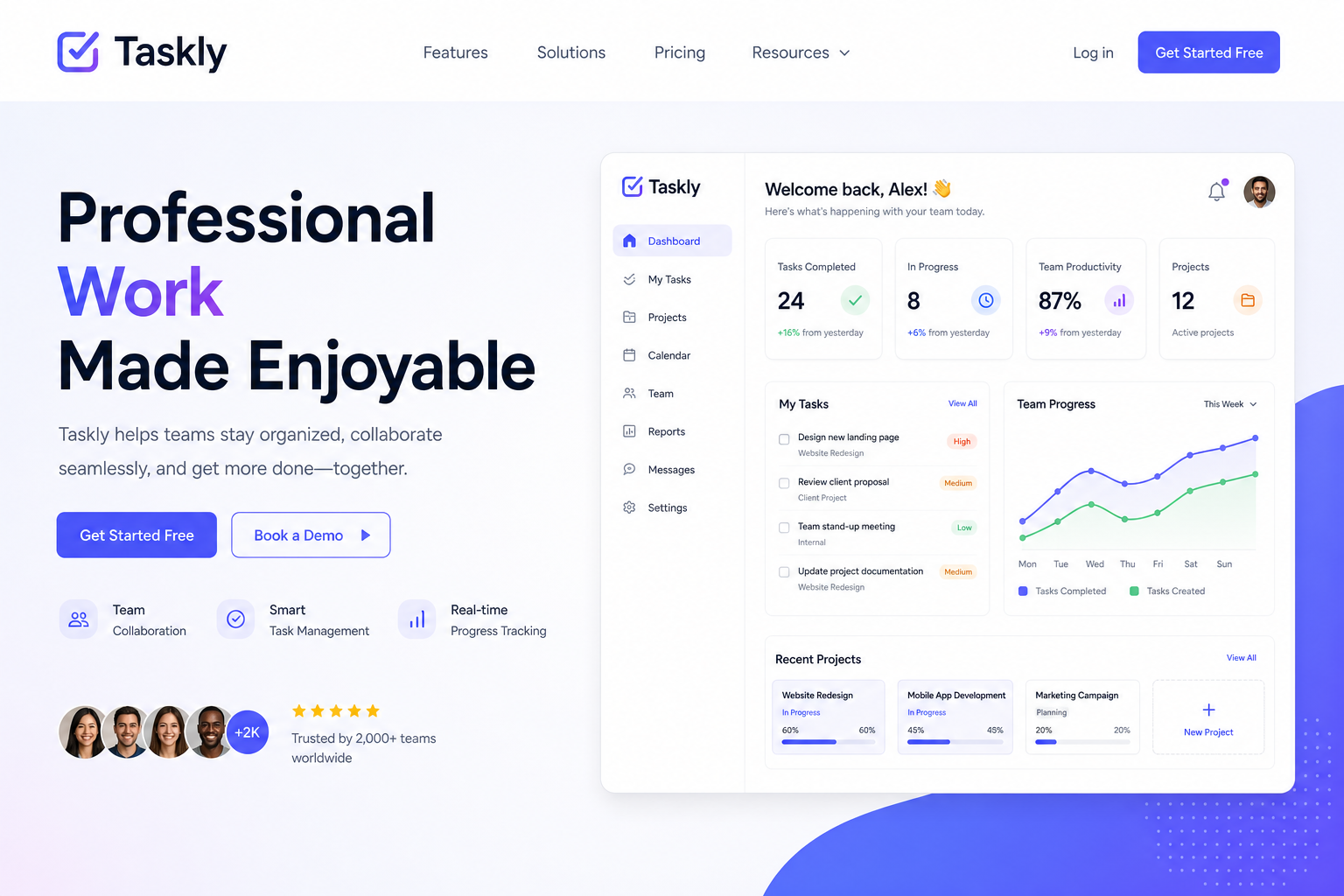
Real scenario: managing a side hustle alongside a day job
I’m not a full-time creator. I have a consulting gig and a weekend writing project. Before Taskly, I’d write tasks on sticky notes and lose half of them. Now I have a custom "Side Hustle" space separated from "Work." Each space has its own goals, tasks, and weekly view. Switching contexts is a tap, and I don’t feel the bleed-over. Last week, I tracked 14 hours on the side project without overflowing into work time—a first for me.
Where it stumbles (real talk)
Taskly isn’t perfect. The app lacks a real calendar sync. I can’t see Google Calendar events inside the weekly view, which means I still jump between apps. The developers say it’s coming, but for now, it’s a gap. Also, the tagging system is basic. If you need cross-project labels or advanced filtering, you’ll hit a wall.
But here’s the tradeoff: that simplicity keeps the app fast and unfussy. I used to over-engineer my workflow in Notion until I spent more time organizing than doing. Taskly forces you to keep it simple. If you’re someone who loves deep customization, look elsewhere. If you want a planner that gets out of your way, this is it.
Who should (and shouldn’t) use Taskly
I’d recommend it if you’re a freelancer, a manager juggling multiple projects, or anyone who plans the week ahead. It shines when you have non-urgent but important goals that need consistent progress. For pure daily hustle (like a customer support inbox that changes by the hour), it might feel too slow.
Also, the mobile app is decent but not as polished as the desktop. Notifications are minimal—no annoying alerts. Some people love that; I prefer a nudge. But for focused workers, it’s a relief.
Bottom line: Taskly doesn’t pretend to be a life-operating system. It’s a planner that respects your time. After three weeks, I’m finishing more tasks per week without the burnout. And yes—work feels a little less like work.
Comments
Leave a Comment