You know that feeling when your to-do list becomes a dumping ground? You write down everything, reorder a few items, and then stare at it. The friction isn't in making the list; it's in moving things from "planned" to "finished" without feeling like you're managing a database. Taskly steps in right here with a straightforward pitch: just swipe done to organize your day. It avoids the bloat of traditional project apps and focuses on clearing your daily slate with a single gesture.
Using Taskly Planner to Cut Daily Friction
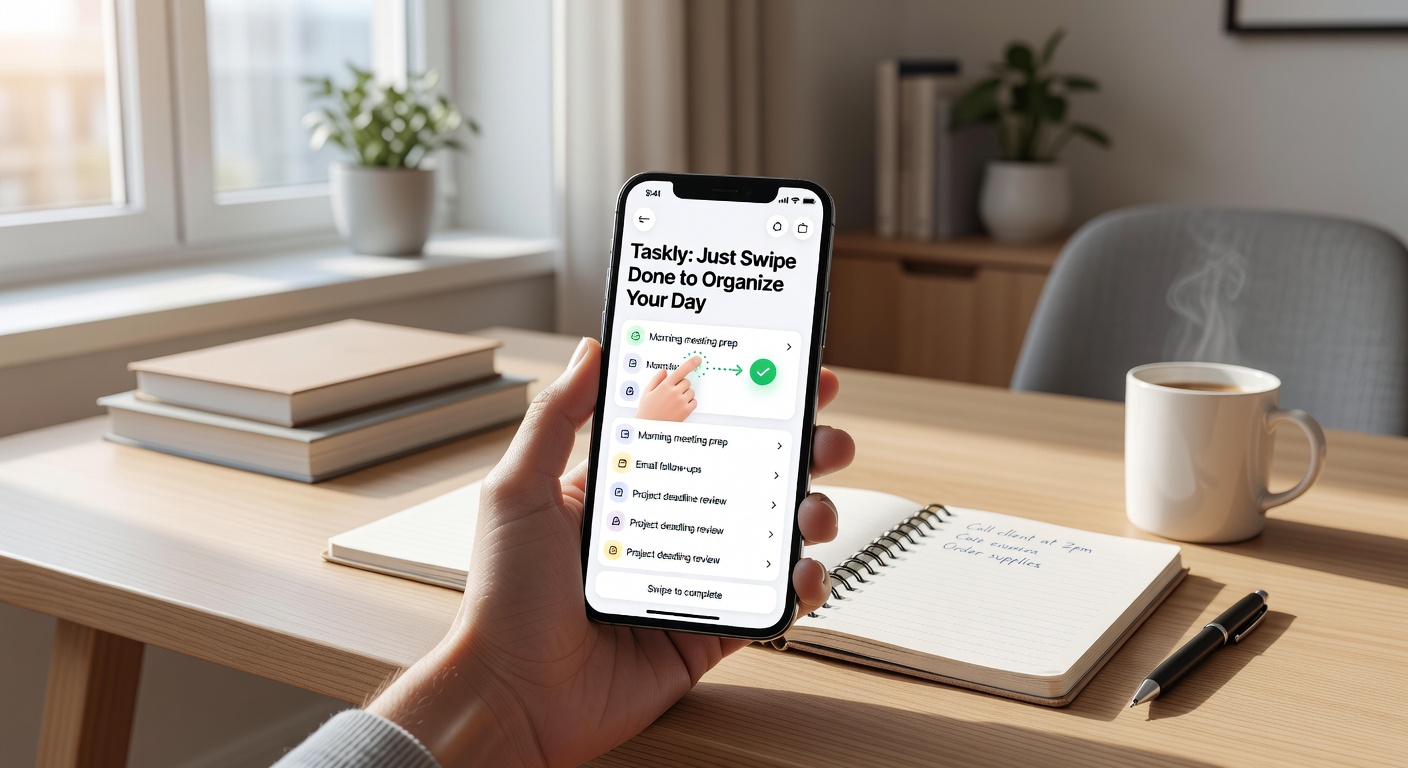
The core interaction in Taskly is the swipe. Instead of tapping checkboxes, hunting for edit menus, or dragging items into "completed" columns, you just swipe a task right. It snaps away with a quick animation. It sounds trivial, but when you're bouncing between emails, Slack, and actual deep work, that one-handed gesture feels noticeably faster than tapping three times to mark something off. It turns task completion into a physical, almost reflexive action rather than a bureaucratic one.
Taskly Planner groups your tasks by day. You wake up, dump your scattered priorities into today's bucket, and swipe them away as you finish. There's no complicated tagging system or nested sub-projects hiding behind a paywall. If you need to push a task to tomorrow, you swipe left. The task rolls over instantly. It’s a very linear, time-boxed way of working that forces you to deal with what’s in front of you or explicitly delay it.
It also handles goals, but loosely. You can set a weekly or longer-term goal, but it functions more as a sticky header above your daily tasks than a tracked metric. It’s there to remind you of the direction, not to chart your progress with percentages. This keeps the pressure off, which is nice, but goal-oriented users who like dashboards might find it too thin.
I tested this over a week of typical fragmented work. On Monday, I had seven client follow-ups, three internal document reviews, and a handful of minor admin chores. Swiping through the follow-ups felt satisfying, almost like clearing an inbox. By Wednesday, though, the rollover friction appeared. I kept swiping two stubborn writing tasks left to delay them. By Friday, they were still sitting there, silently judging my procrastination. The app doesn't solve your avoidance issues; it just makes the delay gesture smoother.
Another scenario: planning a weekend trip. Usually, I’d make a note with nested bullet points for logistics. In Taskly, I just threw "book hotel," "check flights," "pack bag," and "confirm dinner res" into Saturday. No nesting, no tags. It was blunt, but it worked. I swiped them off as I went, and the list stayed flat and manageable. For linear, execution-heavy days, this flat structure is exactly what you need to stay moving.
When the Swipe Isn't Enough
Taskly’s simplicity is its main selling point, but it’s also a hard ceiling. There are no subtasks. If your work involves breaking down a "Launch Campaign" milestone into twenty tiny steps, Taskly will frustrate you. You either flatten those steps into a massive daily list—which gets overwhelming fast—or you need a different tool like Todoist or Things, which handle project hierarchies much better. Taskly is for doing, not for planning how to do.
The calendar view is also quite basic. You can see what’s coming up over the next few days, but you can’t time-block or set specific hour-based reminders. It’s strictly a day-level planner. If you schedule your life in 15-minute increments and need a task to sit squarely at 2:00 PM, this lack of granularity will feel like a step backward. You also won't find rich integrations here—no Slack hooks, no Jira syncing, no automated email parsing. It’s a closed, standalone loop. If you need your tasks to flow in from other systems, you'll be manually copying them in.
So, where does that leave Taskly? It’s a solid fit if your daily work is a stream of discrete, flat tasks—reply to X, buy Y, review Z—and you just want a low-friction way to clear them out. The swipe mechanic genuinely speeds up the "done" part of task management, making it feel less like data entry. But if you manage complex projects with dependencies, or you need your task app to talk to your calendar and team tools, the simplicity becomes a bottleneck. Sometimes, just swiping done to organize your day is exactly enough. Other times, you need a heavier hammer.
Comments
Leave a Comment